RSS

Category Archives: Technology

Enterprise Technologies

No-ip hosting

Episode 26

            So, I’m back after a longer while. As a warm-up I’ve decided to write about dynamic dns and why it’s interesting for software developers.

            Suppose, you want to write your own web applications at home, and present them to the world, but you don’t have a static IP address. A common scenario. Back in the days when I had my first broadband Internet access I didn’t have that problem, I had my own IP. So besides spending countless hours on Battle.net playing Diablo II or WarCraft III. I was also playing with some PHP with MySql and building my homepage which I was proud to share (and nag people to create an account on it).

            Now, if I wanted to do something like that, I have basically two options: either I take the stuff to “The Cloud” meaning some external means of hosting, or I do it myself using dynamic dns service. The idea is easy – you setup an account on dynamic dns provider site, choose a subdomain and domain you like, download a client handling IP updates, forward appropriate (e.g. 8080) ports on your router and voila. You are a host now.

noip

            I’ve tested the no-ip.com and it’s ok for me. You can use three domains for free as long as you log on every 30 days and click a button confirming you are still alive and Read the rest of this entry »

 
Leave a comment

Posted by on June 30, 2016 in Technology


Tags: ,

Vaadin Intro

Episode 24

While being in the topic of web framework research: another one I’m considering to use is Vaadin. It has been around for quite some time, over 10 years now, so we can say that it’s mature (or “old”, if you like). Anyway it has large and active community, and is quite popular which is always helpful.

 vaadin-logo-hi

Vaadin is a server side centric framework, meaning that all content is rendered to html and passed to browser on each request. It’s a bit old school approach. Nowadays it’s more popular to keep as much as possible on the client side, mostly as Java Script and communicate with server only when needed. Vaadin guys argue that server side approach is safer, because it’s impossible to temper with the executable code.

There are other pros and cons, but what is important to me, that current version of Vaadin uses GWT as rendering engine. As you may recall from previous article I’m a big fan of GWT, since I believe that having all code in statically typed language under decent IDE control is a must for any non trivial web project (I’m yet to meet a happy Java Script programmer after successful and pleasant refactoring). But enough introduction, let’s get down to business.

To start easily with Vaadin I recommend The Vaadin Book. You can get it for free from Vaadin website (after registration, but still nice move). In short: get the Ivy and Vaadin plugins for Eclipse, then create new Vaadin project. To make things simple, you can ask the plugin to create project stub. We will rewrite it just a bit then to get something similar to what we had in articles about GWT and Spring.

In order to get things going we actually need only two classes. First doesn’t even have any code, just two annotations and a parent. It’s a Servlet class with a standard url mapping (this time as an annotation) and some Vaadin specific configuration to associate with GUI content class. Also, it extends VaadinServlet.

The content class needs to extend UI and implement init method where the page is created and hooked much like in GWT entry point. The @Theme annotation is optional, it provides us a default css and makes our button look nice. I’ve also added a Service class as our “backend”. Since everything is on server side, you don’t need synchronous and asynchronous interfaces, rpc mappings, callback and all that stuff. Just create class and call method (it’s an example, in real life you would want to have some dependency injection here). That’s all, deploy on server, run and enjoy your Hello World.

vaadincode

Comparing to pure GWT, Vaadin is much simpler to start. You don’t need any html to hook your Java code. You don’t need server communication handling. You don’t need module definitions in xml. You don’t need dev mode and all the acrobatics to debug client side code. The price is however page responsiveness. I’m not sure if it’s a high price though, keeping in mind an average modern bandwidth and latency. And you still keep all the luxury of not worrying if your method gets three Cats instead of two Dog it expects.

There is also a possibility to write client side code in pure GWT and integrating it with Vaadin but it pretty much brings all the GWT complications back.

Still better than JavaScript :)

lovely_night_fury___how_to_train_your_dragon_by_mikilake92-d50tuim

 
Leave a comment

Posted by on November 23, 2014 in BookSentry, Technology


Tags: , , ,

Google Web Toolkit intro

Episode 22

One hundred days of my writing have passed :) Today we are going to talk about a cool and somehow unique web framework. Meet Google Web Toolkit.

gwt-logo

What makes GWT so cool? You write all the client side stuff in Java, having all the power of statically typed language and power of your favourite IDE at your disposal. Its then automatically compiled to Java Script without having to worry if it’s for IE, Firefox or Chrome. Let’s begin.

First you need to install Google Web Toolkit SDK plugin on your Eclipse. A blue g icon will appear in the tool bar. Click it, Create a Web Application Project, enter name and package, uncheck Use Google App Engine and Generate project sample code as we will start from scratch. After finishing, new project will be created.

We will start with a module, New -> other -> Google Web Toolkit -> Module. Call it hello and finish.

Then we will create an Entry Point Class from the same menu, and use the hello module. Add RootPanel.get().add(new Label(“Hello World”)); in onModuleLoad method.

To root our GWT generated code in the web application, we need a html page, using wizard from the same group. You now need to provide a correct JS path in script src property, starting from the war folder. It should go like that: “<package>.<module>/<package>.<module>.nocache.js”.

Now we will prepare to launch our app in Dev Mode. This is a powerful tool that uses a browsers plugin to communicate with Eclipse plugin, recompile and push changes you made in near real time. After saving Java file, you just hit refresh in the browser and changes will be there. Unfortunately API for dev mode was dropped some time ago (WTF?) so you will have to either downgrade your browser or use older portable version. You will need Firefox 26 or older or Chrome 32 or older. I’ve used Chromium Portable version 24. You can get the plugin here. .

Select your project, Run As -> Web Application. It should start a new view called Development Mode. After several seconds it will start and display the link you should use in your browser with plugin, it will be something like this: http://127.0.0.1:8888/hello.html?gwt.codesvr=127.0.0.1:9997. Follow the link and enjoy your Hello World in GWT.

Let’s quickly look at something more. We will add a call to server in order to get the greeting. Since the client is operating in asynchronous mode, and server does rather the opposite, to tie them up you actually need two interfaces that express the same contract. Both goes to the client package.

On the client side the return type is void, while there is an additional callback argument that will get executed when the call finishes with data we need provided.

Methods on the server side interface returns the String we need and have an annotation @RemoteServiceRelativePath(“greet”) to bind the service implementation with request path.

The concrete service needs to implement our synchronous interface and extend RemoteServiceServlet and be placed in the server package. You will also need an entry in web.xml to bind the service class to servlet name and the servlet url from interface:

gwt web

Having the back-end ready we can come back to our entry point class. First we have to create the service handle. Then we will add a button with ClickHandler that will invoke the service. Finally in the callback code we will add a Label with String computed on the server side. Or, in case of problem, display the message from exception. Here is the Java code:

gwt

When you run this, after pressing the button, the Hello World! will appear after a brief moment.

Unfortunately as of version 2.6 of GWT Java 8 is still not supported, so you can’t exchange listeners definitions with concise lambda syntax yet.

Some people say, that GWT is dying. Lack of support for Dev Mode in newest browsers being primary reason for that often. Well, in fact there is something called Super Dev Mode which is going to fulfill similar role. I hadn’t tried it yet, but perhaps I will have to in future. Also, Vaadin is using GWT as their rendering engine, and they seem to be doing their best to keep GWT alive (they are organizing the GWT.create conference, for example). For me, writing Java code instead of JS is a huge deal. Yeah, there are frameworks for JS to make it more manageable, but still, this is dynamically typed language. No automatic refactoring. No way to automatically find all places where something is called / used. Typo in variable name found only in runtime. Maybe after working a bit with AngularJS, so hyped now, I will change my mind, we will see about that. Also, before committing to GWT in my project I wanted to check out Vaadin. See you next time.

412mtghRr-L

 
1 Comment

Posted by on November 9, 2014 in BookSentry, Technology


Tags: , , ,

Dreams of Spring

Episode 21

Going back to my project, which was a bit on hold for some time, I finally some time to to move things forward a bit. Just a bit, as you may recall I made a decision to use Spring as a framework and GWT for view. I’ve worked with both for quite some time, but apparently never tried to do anything from scratch. Let’s fix that and start with Spring.

cropped-logo_springbypivotal_horizontal1-645x300

Inspired by Josh Long’s talk on last Jax conference, I’ve checked the Spring Boot. There is a nice website which asks you for:

  • Few descriptive details of your project
  • If you want to use Maven or Gradle. As I mentioned earlier, I will go with Maven.
  • If you want Jar or War. As usually War is the solution.
  • Java or Groovy. Uhm.
  • Java and Spring Boot version

And then several groups of dependencies you can include in your project, like:

  • AOP and Security
  • Data: JDBC, JPA, MongoDB etc
  • I/O: Batch, JMS etc
  • Web: Web application, Websockets, WebServices…
  • Template engines
  • Social: want Facebook integration out of the box? No problem.

For online hello world you probably only need to check web. After filling in all stuff simply hit Generate Project, download, unzip, and put in your Eclipse workspace. Then import from existing Maven project and here it is. You don’t need to download anything and figuring out where to put this and what to add to some eerie xml files. Maven will handle it for you.

To see something in runtime, just put any html page in src/main/ webapp, Add application to your build-in Tomcat, publish and start. Watch console, If everything went smoothly, you should see server starting in less than a second, and then a lovely Spring Boot ascii artish logo followed by some info outputs over a few seconds. You may now check http://localhost:8080/appname/pagename.html and it should present you the very page you have created earlier. Congratulation, you have now Spring application that does nothing useful but starts twenty times longer than simple dynamic web application! What an achievement. Let’s do something with that.

First let’s see what was generated for us.

  • java, annotated with @Configuration, @ComponentScan and @EnableAutoConfiguration and containing good old main method. You don’t actually need any server to run Spring, you can just run this class as Java Application atop of pure JVM.
  • java – used to bind Spring as http request handler when run on server.
  • Some empty junit test for Application class.
  • pom.xml, Maven project definitions and dependencies

Time to add something. We will create a very simple MVC to display “Hello World!” from the depths of backend.

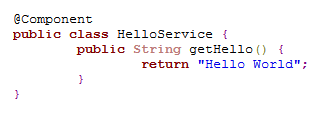
Our back-end in this case will be class marked with @Component annotation, which allows Spring to manage its injection in the Controller class, annotated with, well, @Controller.

service

Controller has a field which will be initiated with our back-end buddy. It also has a method to handle request, and we will annotate this with @RequestMapping(“/*”) meaning it will catch all http requests to our pretty little application. Now we need to return from the method something that will indicate where the request should land, and that’s the job of ModelAndView object initialized with name of page to display.

To tie back-end and front-end together, we will add a model attribute with value provided from our component.

controler

As quick and dirty view we will create a JSP (sorry for that) page, that will reference model with el expression ${message}. Simple as that.

Publish, restart server, type http://localhost:8080/appname/blah in the browser and here it is, your first Spring MVC web application, sweet and shining.

fb125-how-to-train-your-dragon-2-toothless-cute-art-wallpaper

 
3 Comments

Posted by on November 2, 2014 in BookSentry, Spring, Technology


Tags: , , ,

Devoxx Antwerp 2013 reminiscence

Episode 20

Let’s get back in time. Devoxx 2013 in Antwerp was actually my first big IT conference. Since there was no direct flights, I drove there with two friends a bit over 1k km, which wasn’t so bad considering it was mostly German Autobahn and we had a nice car which itself had only 1k km of mileage (mileage given in km, doesn’t it sound funny?) when we started. It was nice little adventure.

How is Devoxx different than Jax? Well, it’s muuuch bigger. There was like 7 to 10 times more people. The conference took place in a second largest cinema complex in Europe, meaning that talks were delivered on big screens with excellent audio. There were 10 halls, two with capacity over 800 people. Exhibiting companies were like: Google, Oracle, Red Hat, Microsoft and that kind of league. There were chief architects of stuff. They were gadgets like chess robots, machinery out of Lego Technics bricks and all the stuff geeks like.

chess

There was even a game where you could see entire audience on the big screen, and there were virtual fruits (seen on the screen superimposed over the camera image) thrown at them. If the fruit happens to hit your location, you had to slash it with arm movement to get points. People were divided in two teams, two halves of the audience, and more hits equalled winning entire game.

Jax had better food on the other hand ;)

Similarly to posts on Jax, I will quickly present talks I’ve watched. Main part of Devoxx was one day longer than Jax, and I since it was almost a year, I don’t remember everything exactly, so there will be a selection.

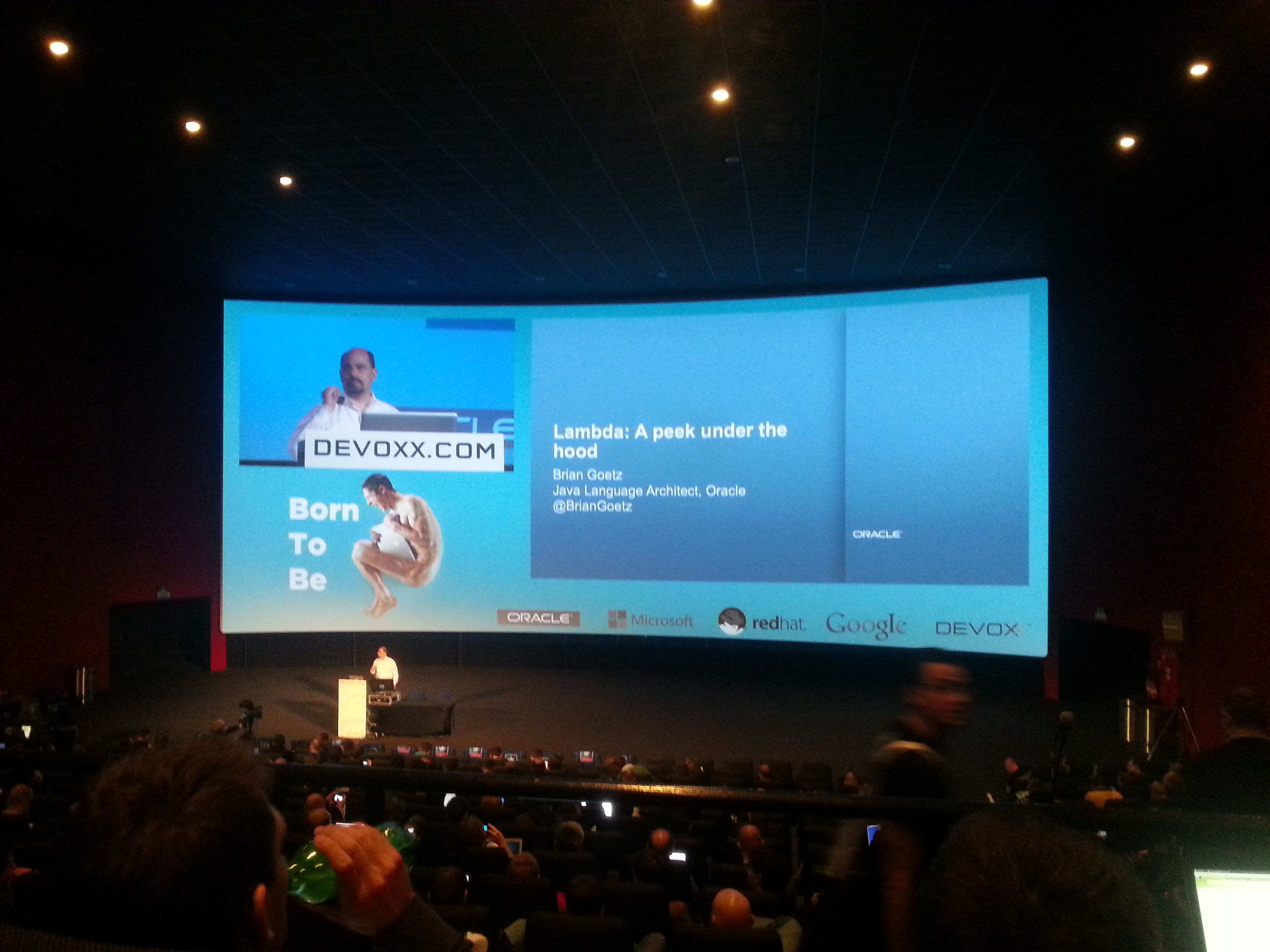
lambda

Lambda: A peek Under the Hood by Brian Goetz.

I made a reference to this talk already in The Peak of the Mountain. Very technical details of JVM internals, not for everyone and perhaps not so useful in everyday development, but very interesting for me. And the speaker is the chief Java Language architect.

The Crazyflie Nano Quadcopter by Crazyflie team.

One of the cool ones. Story of developing tiny quadcopter both from hardware and software point of view with all the ups and downs.

The Modular Java Platform and Project Jigsaw by Mark Reinhold.

Java is big and tangled, but there are efforts to untangle the platform and make it more efficient especially on tiny devices with very limited resources . Nice to see a talk by Java platform chief architect regardless of the topic.

Shaping the future of web development by Lars Bak.

Keynote by Google and official release of Dart 1.0 with ambitious dream, “ultimately to replace JavaScript as the lingua franca of web development on the open web platform”. Thumbs up. Most important thing for me is static type system. Writing anything bigger than 500 Lines of code in JS was always pain in the ass. It’s been 19 wonderful years, thank you very much, time for something better.

Java 8 Language Capabilities – What’s in it for you? by Venkat Subramaniam.

At the time that was the first presentation about lambdas for me. Very dynamic yet easy to follow and technically very well done.

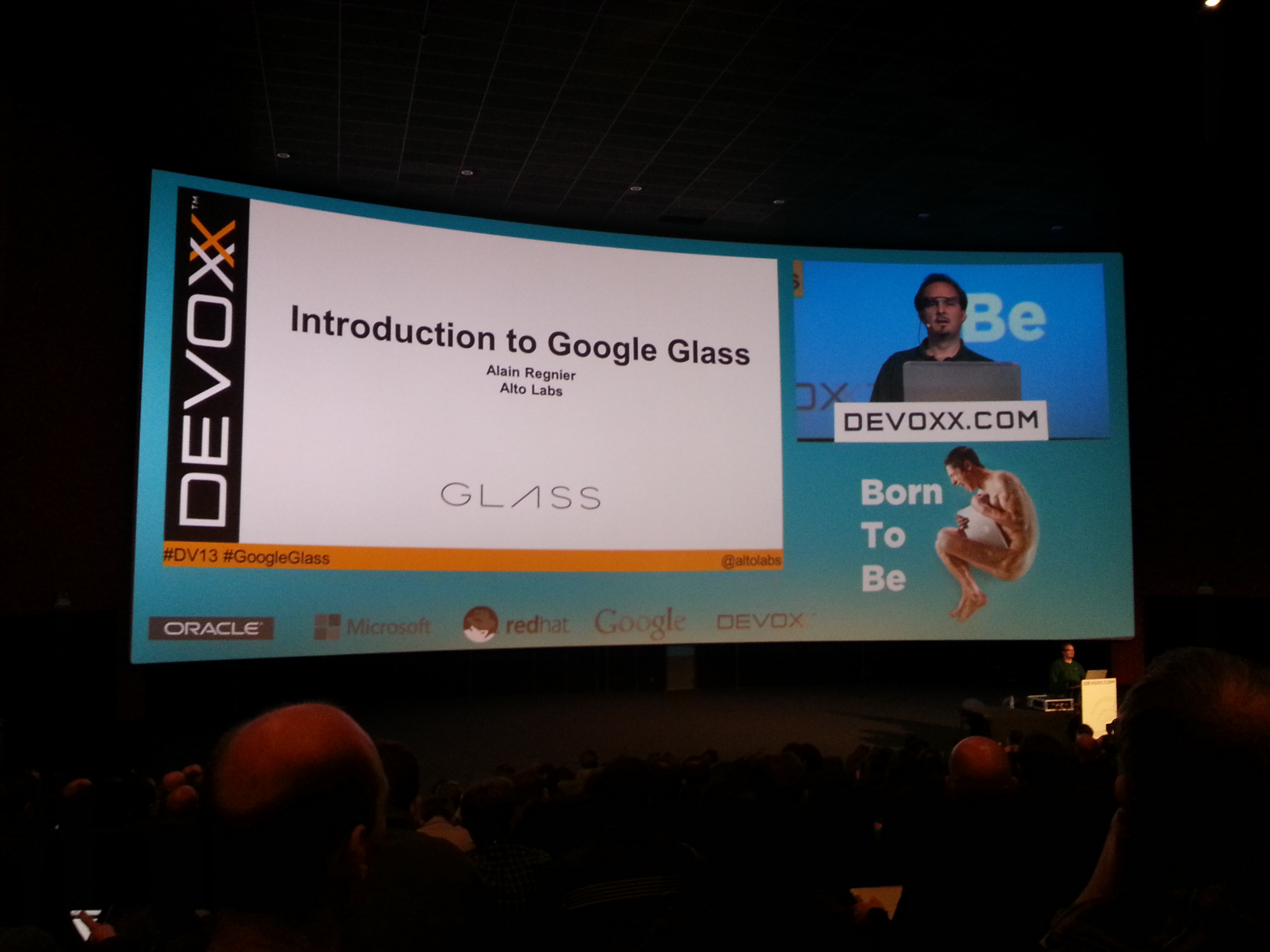
Introduction to Google Glass by Alain Regnier.

Well, what can you say besides that Google Glass is an awesome technology. Still in prototype phase, and with a lot of improvements along the way. Alain presents how to connect to the device from your PC, how to control it with voice or head motion and what you can do with it. Possibilities seem to be endless.

glass

Taming Drones: How Java Controls the Uprising Drone Force by Timon Veenstra and Eva Veenstra-Kazakov

Another cool talk about quadcopters. You can buy one for $300, attach Raspberry Pi for $30, some sensors, do some programming and voilà, you have an autonomous drone which can fly over the field, do some photos and recharge itself when needed. At the end, you can use data to tell the farmer where he should apply more irrigation to get the most out of his plants. Countless other things you can do for a few bucks.

parrot

Besides I remember attending Cryptographic operations in the browser by Nick Van den Bleeken, EJB 3.2 and Beyond by David Blevins, Java EE 7: What’s new in the Java EE Platform by Daniel Delabassee, Spring Framework 4.0 – The Next Generation by Sam Branen, Batch Applications or the Java Platform (JSR 352) by Scott Kurz. And there were few others I can’t remember.

lego

Overall, in my opinion Devoxx is much better than Jax. Longer, much more speakers to choose from, much more “cool” stuff outside of Big Data, Enterprise and Java for a very similar ticket price.

beer

And somehow I prefer both Belgian beer and weather over English ;) See you next time.

How-To-Train-Your-Dragon-Toothless-47-Wallpaper-Background-Hd

 
Leave a comment

Posted by on October 26, 2014 in News, Technology


Tags: , , , , ,

Jax London 2014, day two

Episode 19

Apparently London busted me. Or Stansted. Or the graceful 737-800 from cheap Irish airlines. Anyway, I’m supposed to stay at home for the rest of the week, so in between aspirin and vitamin C I can try to continue my story of the Jax conference. Let’s move on to day two sessions.

Developing applications with a micro-service architecture keynote by Chris Richardson.

Micro-services are definitely a hot topic nowadays. Another fancy name for keeping parts of your code separated. Chris however is not an evangelist who will come and show you the only right way. Instead the session was very balanced, giving you pros and cons of the idea.

GridGain 6.0: Open Source In-Memory Computing Platform by Nikita Ivanov.

Ram is cheap now. And turns out that it is even cheaper when you look at hardware maintenance costs over few years. And daily, operational datasets fits in today’s Ram. GridGain looks like a Read the rest of this entry »

 
Leave a comment

Posted by on October 21, 2014 in News, Technology


Tags: , ,

Jax London 2014, day one

Episode 18

That was a longer break from writing. Jax 2014 conference is over, time to do some recap. The proper event was held in London 14 – 15 October in Business Design Centre, Islington, London. There were also some workshops 13 October, but I decided to skip those. Primary topics were Java, web and mobile, development practices, agile and big data.

20141015_084104

Some quick numbers: Read the rest of this entry »

 
2 Comments

Posted by on October 19, 2014 in News, Technology


Tags: ,

How to slim down your Java

Episode 16

This article is the second part of my Java performance guide. After concentrating on how to make code fast, let’s turn to how to make code eat less memory. There are two important things to consider:

First, in modern computers, memory access time is more limiting than CPU frequency.

Second, when talking about algorithms from academic point of view, it is said, that there is a tradeoff between speed and memory. That’s of course true, however keep in mind, that memory allocation takes time, memory read/write takes time and finally garbage collection takes time. If you turn on heap status in Eclipse, you can sometimes literally see how the code is reaching 99% percent of the heap and then execution time hits the wall and things slows down a lot. GC is working hard to make things possible. If it is possible, otherwise you are getting OutOfMemoryError and you are done.

KeamC.jpg

Java, wat r u doin! Java, staph…

Of course, you can increase heap space to make things happen. However you can’t do that indefinitely (unless you are Google). Although one of my PO’s said once that we shouldn’t worry because clients have unlimited memory, you should worry. Not always, and maybe not even half the time, but being reckless with memory might hit you hard in some particular cases.

Code that is memory efficient might be complicated, hard to maintain and error prone, but there are few thing you can keep in mind and use without introducing unnecessary complications. Sometimes, as I said in previous article, code that is faster or takes less memory may be even more elegant and readable.

So when to optimize size?

Again, get to know your code. Study, experiment, check out the production database (if you have access), do some statistics. If you have a collection containing all your users, check out how much user you have. If it’s a problem, look for high level solution. Perhaps you don’t need all users at one time? Maybe you can process them in batches? Maybe you can load lazily? Maybe you can construct some kind of cache?

If this approach fails, you can tweak stuff at lower level of abstraction, and that’s what we are going to discuss now.

Objects size

Object header in Java takes 12 bytes. However objects on heap are allocated in 8 bytes blocks, thus making smallest Objects take 16 bytes. Primitive sizes are:

  • byte – well, 1 byte
  • short, char – 2 bytes
  • int, float – 4 bytes
  • long, double – 8 bytes
  • Reference – 4 bytes if heap is under 32 GB with default VM settings and 8 bytes otherwise.

So if you are thinking of reducing your object size from 32 to 28 or 26 bytes, I have bad news for you. It will still take 32 bytes no matter what.

byte and short pitfall

Primitives as objects fields always take a minimum of 4 bytes. So using bytes or shorts instead of ints as fields to save memory is useless. Arrays however are dense packed, so you may use byte and short array to get some savings.

Primitives vs wrappers

Wrappers carry the Object overhead. They take at least 16 bytes, and Long and Double takes 24. Plus 4 bytes for each reference to them. If you have a lot of data, and don’t need a null value, you can use primitives instead of wrappers to save memory. For example in a User object, if you only read data from database, you can probably use long instead of Long for primary key and save 16 bytes per object. On the other hand, if you use ORM framework, you may create objects by hand and then persist them, which means that primary key will be null at some point.

Arrays

  • Primitive array of length n: 16 + (1 to 8) * n depending on primitive type.
  • Objects arrays: 16 + (4 + object_size) * n on heap below 32 GB.

Strings

Each String contains a few ints, a reference to char array and the array itself. It all takes 40 + 2*n depending on number of characters. What does it mean? If you have a lot of very short Strings, you have a lot of overhead. If you have only one-letter strings, it’s probably better to use chars instead.

Lists

Now it’s getting interesting.

  • ArrayList: 40 + (4 +object_size) *n + 4 * unused_capacity
  • LinkedList: 48 + (24 + object_size)

Yes, LinkedList has 6 times more overhead per node. That’s another reason to use ArrayList instead most of the time. Array list resizes itself automatically, so it usually has some unused space. If you know that no more data will be added, you may use it’s trimToSize method to remove unnecessary overhead. Not very much, but with lots of small objects it might be visible.

Maps

  • HashMap: 56 + (32 + object_size + key_size) * n + 4 * capacity
  • LinkedHashMap: 56 + (40 + object_size + key_size) * n + 4 capacity
  • TreeMap: 56 + (40 + object_size + key_size) * n + 4 * capacity

I had a situation where there was a graph node object, that contained several eagerly initialized collections, that were empty 95% of the time. It turns out that when number of nodes went in millions, it was a serious problem. Creating collections lazily might save you some space.

By the way, Sets in Java contains Maps, so they have same size per node, with additional overhead per Set Object.

Alternatives

There are libraries of specialized collections, like Trove. They are optimized for memory footprint. For example THashMap takes only 8 bytes per key / value pair instead of 40 as standard HashMap

EnumMap, EnumSet – specialized collection in standard Java. As, most of the time, Enums do not have more than 32 or 64 values, Set of enums may be represented as bit mask based on int or long. It reduces a lot of overhead for MapEntry objects.

BitSet. Dense packed bit vector, that only takes, well, only 1 bit per bit or boolean value. Normal boolean in Java occupies 4 bytes if it’s a variable or 1 byte if it’s in an array.

What’s next?

Perhaps I will come back to the topic of performance. I have a new book, Java Performance The Definitive Guide added to my long reading list. I hope it will be interesting and third episode about performance will be born on this blog afterwards.

Speaking of reading list, next episode is going to be a book review. Stay tuned ;)

How-To-Train-Your-Dragon-2-Bewilderbeast-Wallpaper-HD-Desktop-1024x435.jpg

 
Leave a comment

Posted by on September 28, 2014 in Clean Code, Technology


Tags: ,

Lightning Fast Code

Entry 15, Day 51

As promised, today’s episode is going to be about low-level optimization. First, a quote.

„Premature optimization is the root of all evil”

   – Donald Knuth

Yes indeed. We all love when things go faster than slower, but deadlines are tight and working, stable software with acceptable performance is better than software which is fast but unstable or not working at all. There is no point in tuning your Java computation to take 5 milliseconds instead of 50, when you are going to wait for database query that takes 5 seconds (optimize the query, maybe?). Also, in case of web application, there will be network latency of tenths or hundreds of milliseconds. Another issue is code readability. Sometime, to run faster, the code has to be more complicated and that’s always pain in the ass…

the-profound-programmer1

So when to optimize?

First, get to know your API. There are many small problems, that are already solved by standard Java library. And solved well, for example using Read the rest of this entry »

 
4 Comments

Posted by on September 21, 2014 in Clean Code, Sweet Sixteen, Technology


Tags: ,

Legacy of the Void

Entry 11, Day 24

I’ve promised you episode on database, but I’ve lied. Okay, not exactly. Database was my plan, but I haven’t managed to play with the tools before leaving Wrocław for my short vacation. I’ve left behind my dev machine so let’s leave tools too for a week or two. But I’m not leaving you, dear reader.

Until now, I was mainly writing about enterprise stuff connected with my project. There are however many other topics I’d like to touch in this blog. One of them is Object Oriented Design. So today, for starters, since at the beginning there was nothing, I’m going to tell you about the Null Object, behavioural Design Pattern.

The definition says:

In object-oriented computer programming, a Null Object is an object with defined neutral (“null”) behaviour. Example:

nullobject1

Why bother? Because using Null Objects protects you from Null Pointer Exceptions and lets you get rid of ever-present null check logic in the code. So, instead of using null Animal references, you want to use NullAnimal objects. It will not throw NPE in your face, you don’t have to check if it’s there. It will just gracefully do nothing if interacted with. This is the classic – dedicated Null Object class, now let’s move to other, not so obvious usage.

Say you have some kind of state in the form of an enum. But sometimes the state is not present, or somehow unknown. You may use null for that, but you may also add an additional value – “UNKNOWN”, “NONE”, “SHIT_HAPPEND” or something like this. Usually cleaner and safer than null reference.

Third idea, if your object contains a collection, initialize it. Don’t rely on it being delivered via setter later. It is likely that the setter won’t be called, “because of reasons”. But if you put an empty collection at object creation, you are safe to iterate over it later, unless somebody explicitly sets null there, which is rather unlikely (you may also hide the setter itself if you like). There are situations where such practice turns out to be bad however. Be aware that empty collection has some size. It depends on system and VM implementation, but you can count from 40 bytes on ArrayList to around 70 on HashSet. Not much, but I had a case where graph node had several empty collections and when node numbers went into millions, there were corpses of virtual machines lying everywhere.

Finally, there is a nice class in Google Guava, the Optional<T>. It’s an immutable wrapper that can contain another object or null. It can return this object, or null or some default value. It can tell if there actually is an object, or not. It’s good, because you explicitly say that it’s okay to have null value here. The value is optional, as the class name says. Let’s see how it looks like in practice:

nullobject2

That’s about it. There are some issues to consider though. For example – Null Objects shouldn’t change their neutral behaviour. If they do, they actually belong to State Pattern. Null Objects may be special case of Strategy Pattern, representing strategy that well… does nothing.

There are also some caveats in Null Objects. Sometimes clean logic and lack of exceptions may hide erroneous program execution. So, for example, if you expect collection not to be empty, you should do some check before simply iterating over it zero times and move on in silence.

Project-wise, well… I’m proud owner of booksentry.org domain now, where you will find the application’s production environment in the future.

In the next episode, we will talk about SOLID code. Stay tuned.

Legacyof the Void

 
Leave a comment

Posted by on August 25, 2014 in BookSentry, Clean Code, Technology


Tags: ,